PayPort Direct
Simple billing software for small businesses that need to get paid
Small business billing software should help you bill clients and collect payment — without forcing you into enterprise accounting on day one. PayPort Direct focuses on that job.
Billing software vs invoice software
The terms overlap. “Billing” often means recurring charges; “invoicing” often means project-based bills. For many service businesses, both boil down to: create a bill, send it, get paid, track status. PayPort Direct handles that loop with small business invoice software built around online payment links.
Create customers and invoices in one place
Store who you bill, issue numbered invoices with line items, and reuse customer records on the next job. That is simpler than retyping details into a PDF generator every time.
Send payment links by email
Each invoice gets a shareable link for online payment. Send it yourself or use email delivery when configured. Customers pay on a professional page instead of informal peer-to-peer apps.
Track unpaid, paid, and overdue invoices
Your dashboard shows what still needs collection. That is the practical reason to use billing or invoice software instead of ad hoc tools — visibility, not buzzwords.
Best fit: vendors, contractors, consultants, and service businesses
PayPort Direct is built for people who invoice for services, not retail POS or subscription SaaS billing. If payment collection is the pain, see our invoice payment platform overview.
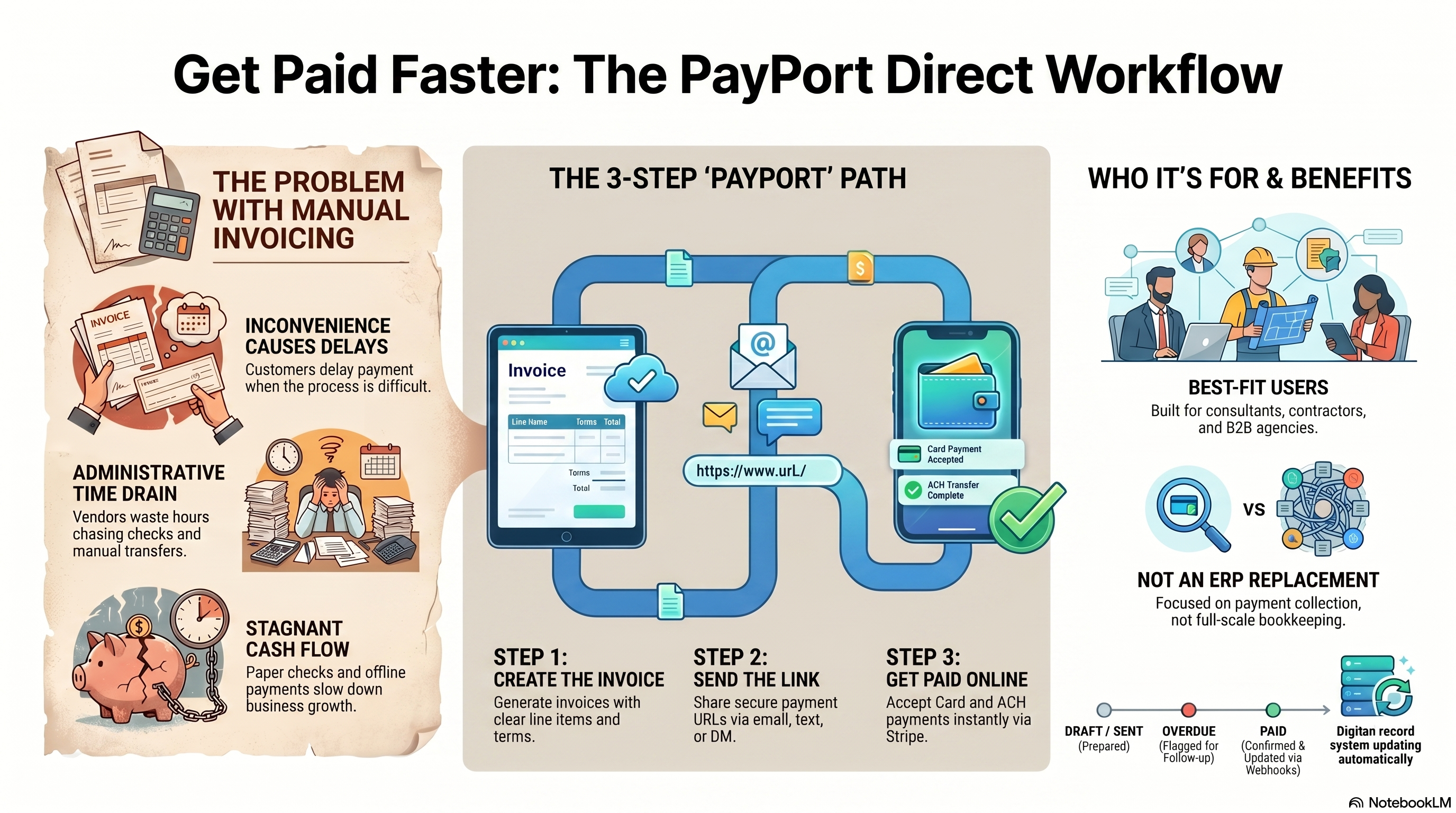
Get paid faster: the PayPort Direct workflow
From manual billing headaches to a simple create → send → get paid path — see how PayPort Direct helps small businesses collect online without full accounting software.
FAQ
- Does PayPort replace QuickBooks?
- No. It replaces the “invoice and get paid online” slice, not full accounting.
- Is there a monthly fee?
- Yes — one PayPort Direct plan at $24.95/month (or $249.50/year) for Card, ACH, and Digital Dollar / USDC, with 0% PayPort transaction fee on USDC. See pricing.
- Where does the money go?
- Card and ACH settle through Stripe Connect to your business. Digital Dollar / USDC settles to your Business Wallet. PayPort is not the merchant of record for those sales.
Send your first invoice with PayPort Direct
Create customers, connect Stripe, and share a secure online payment link. Starting at $24.95/month.